[Placeholder text. Final text to be provided by the publisher.]
Step 1: Get a CNPJ for the foreign investor
[Explain how the foreign investor gets a CNPJ through the CDNR.]
On the screen, look for “Cadastro de Não Residentes” (Non-Resident Registry).
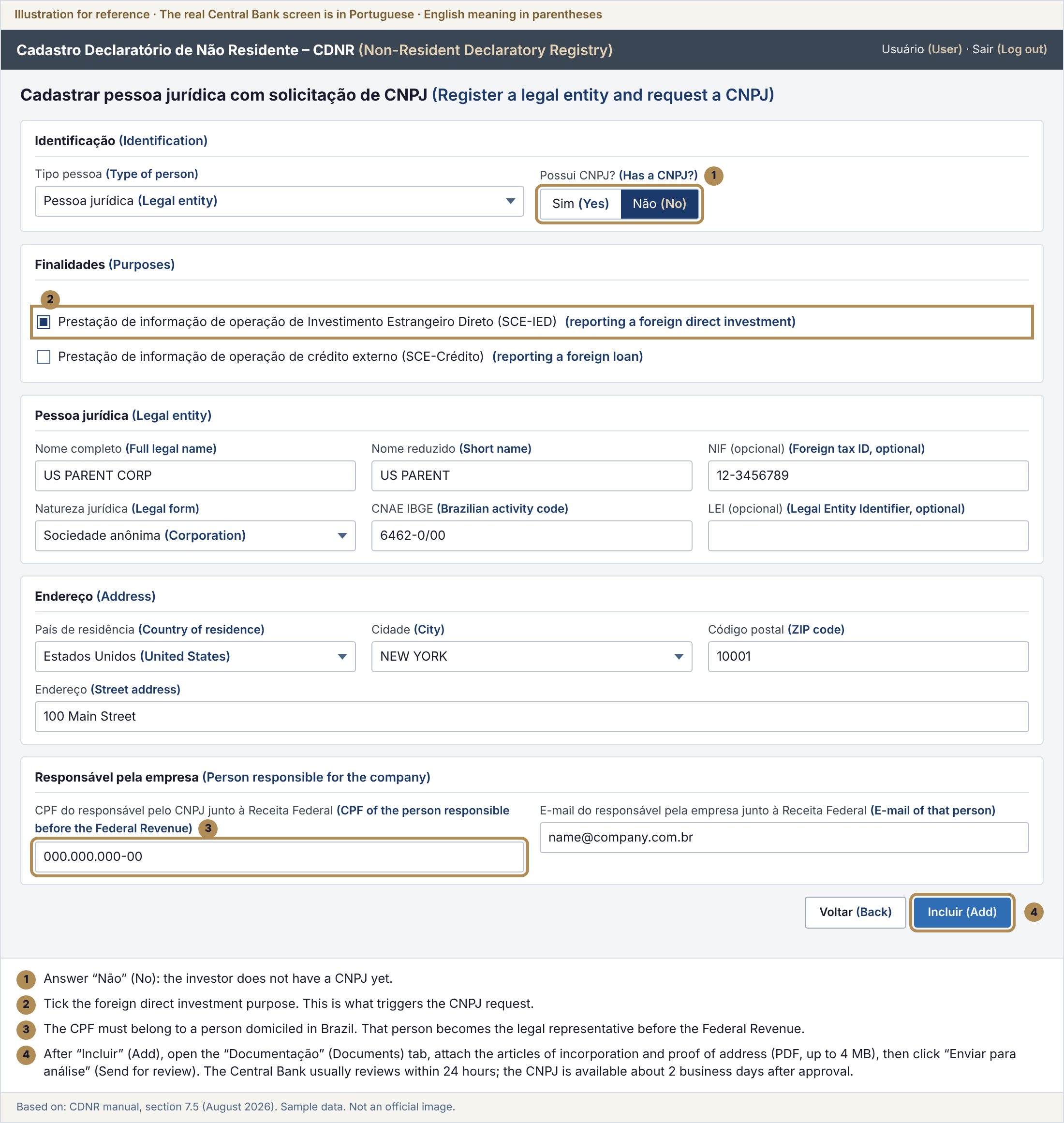
Illustration based on the CDNR manual, section 7.5 (August 2026). The real Central Bank screen is entirely in Portuguese; the English meaning is shown in parentheses.
Step 2: Prepare the Brazilian company
[Text to be provided.]
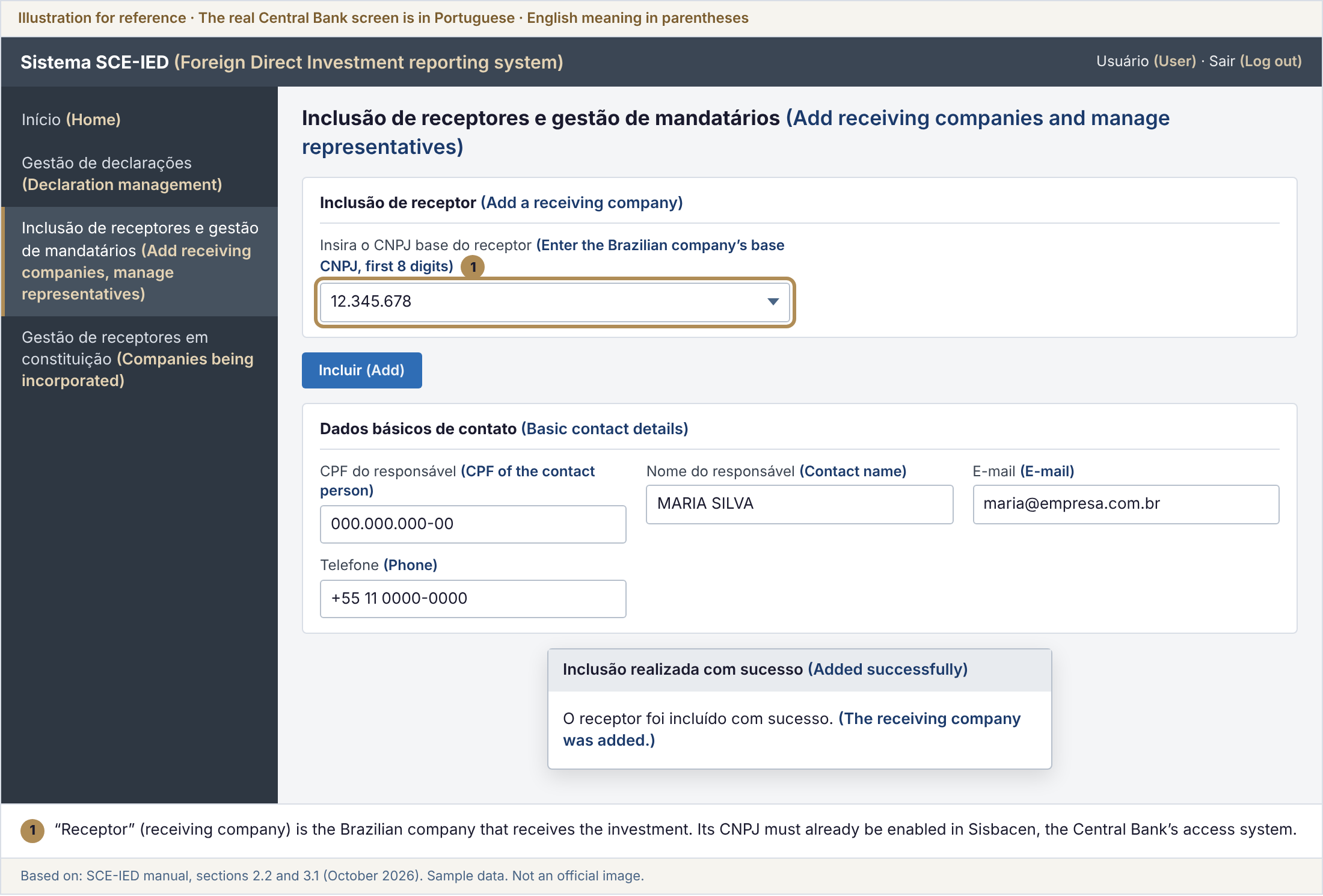
Illustration based on the SCE-IED manual, sections 2.2 and 3.1 (October 2026). The real Central Bank screen is entirely in Portuguese; the English meaning is shown in parentheses.
Step 3: Send the money
[Explain the exchange contract and the SCE-IED code. Contracts of US$ 100,000 or more linked to the code are recorded automatically.]
On the exchange contract, look for “Código SCE-IED” (SCE-IED code).
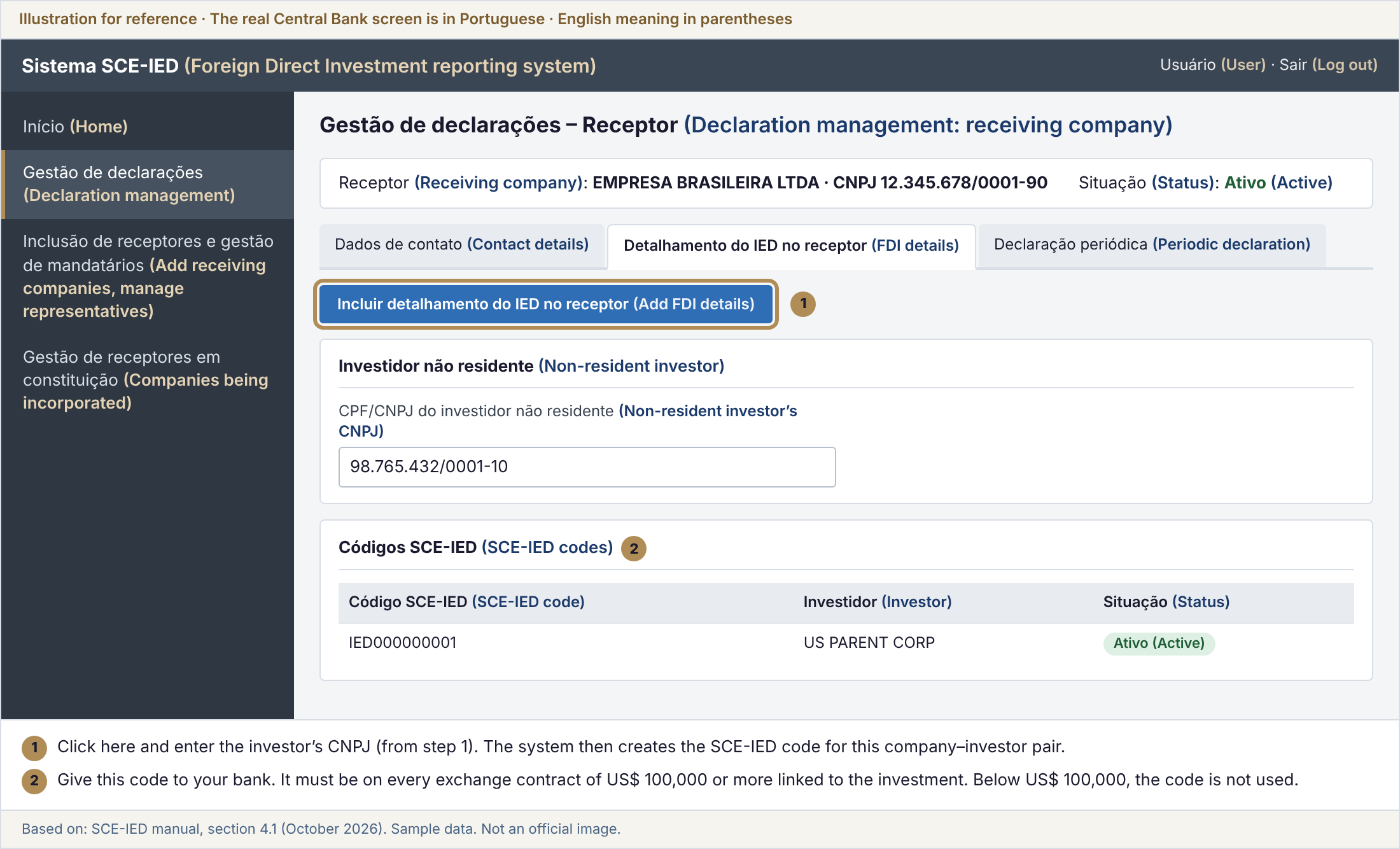
Illustration based on the SCE-IED manual, section 4.1 (October 2026). The real Central Bank screen is entirely in Portuguese; the English meaning is shown in parentheses.
Step 4: Check the registration
[Text to be provided.]
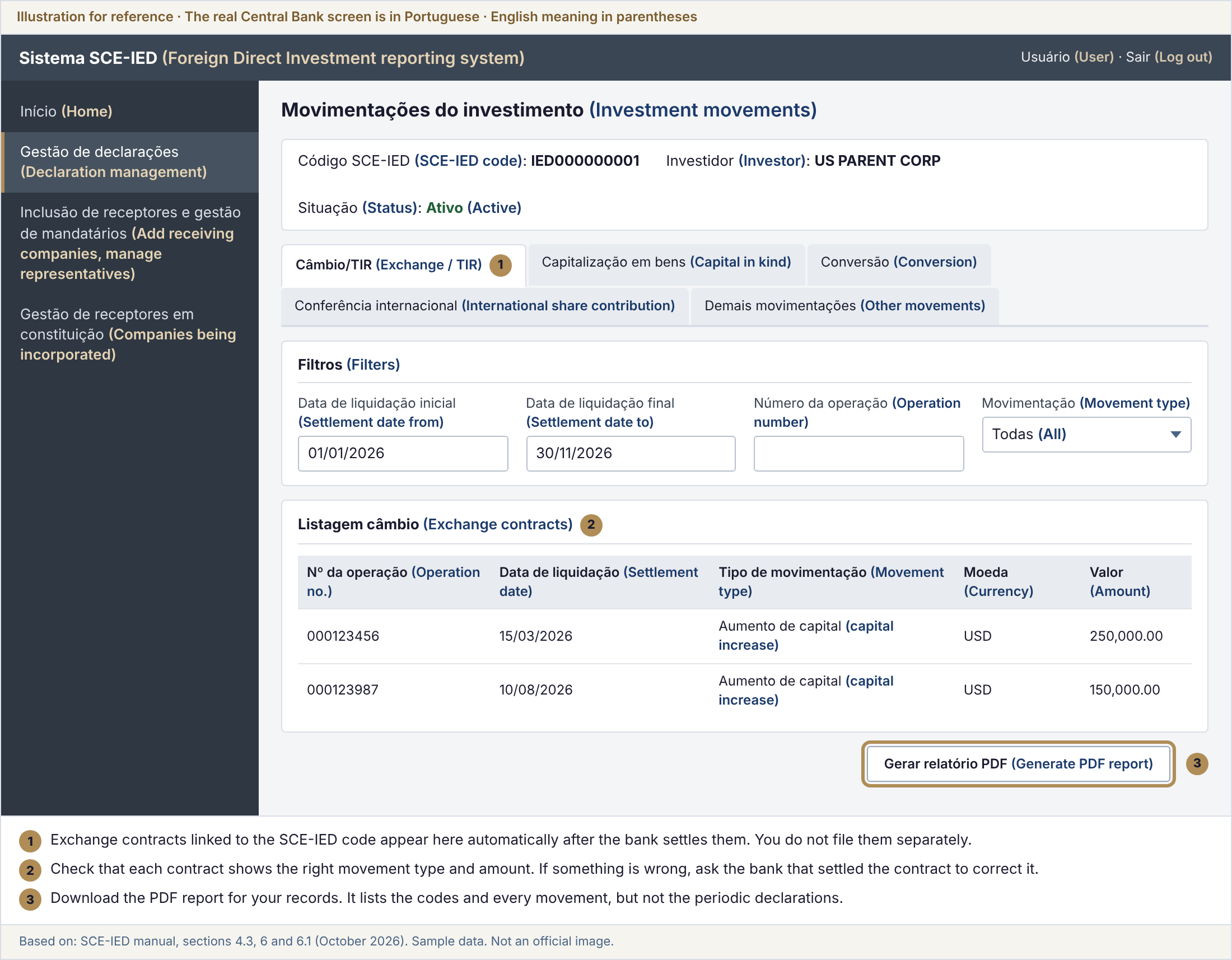
Illustration based on the SCE-IED manual, sections 4.3, 6 and 6.1 (October 2026). The real Central Bank screen is entirely in Portuguese; the English meaning is shown in parentheses.
Step 5: File the periodic declarations
[Explain the five-year, annual and quarterly declarations and their windows.]
On the screen, look for “Declaração Econômico-Financeira” (Economic and Financial Declaration).
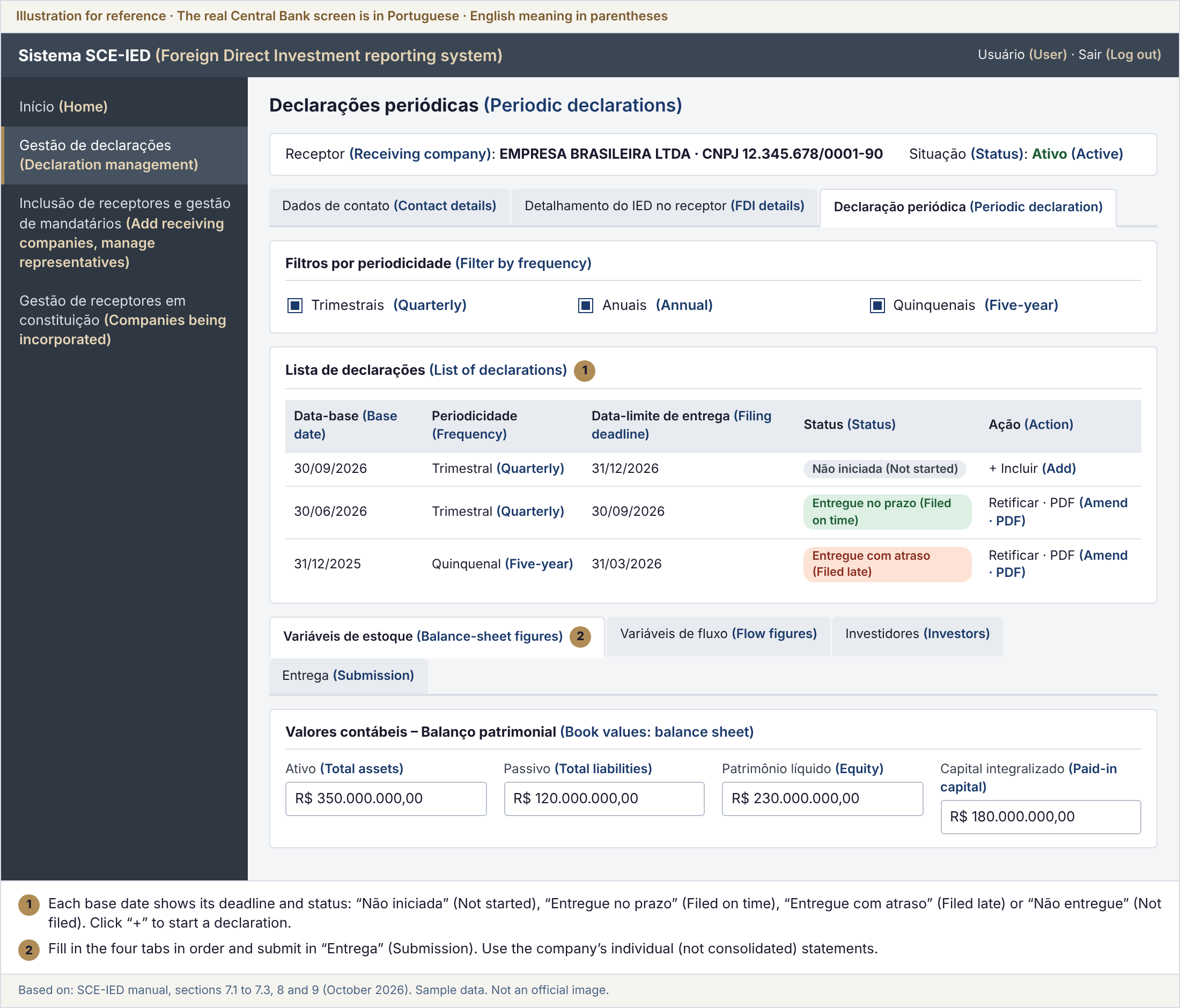
Illustration based on the SCE-IED manual, sections 7.1 to 7.3, 8 and 9 (October 2026). The real Central Bank screen is entirely in Portuguese; the English meaning is shown in parentheses.
Complex case, such as a conversion, a restructuring or a suspended registration? Talk to a specialist.